
1
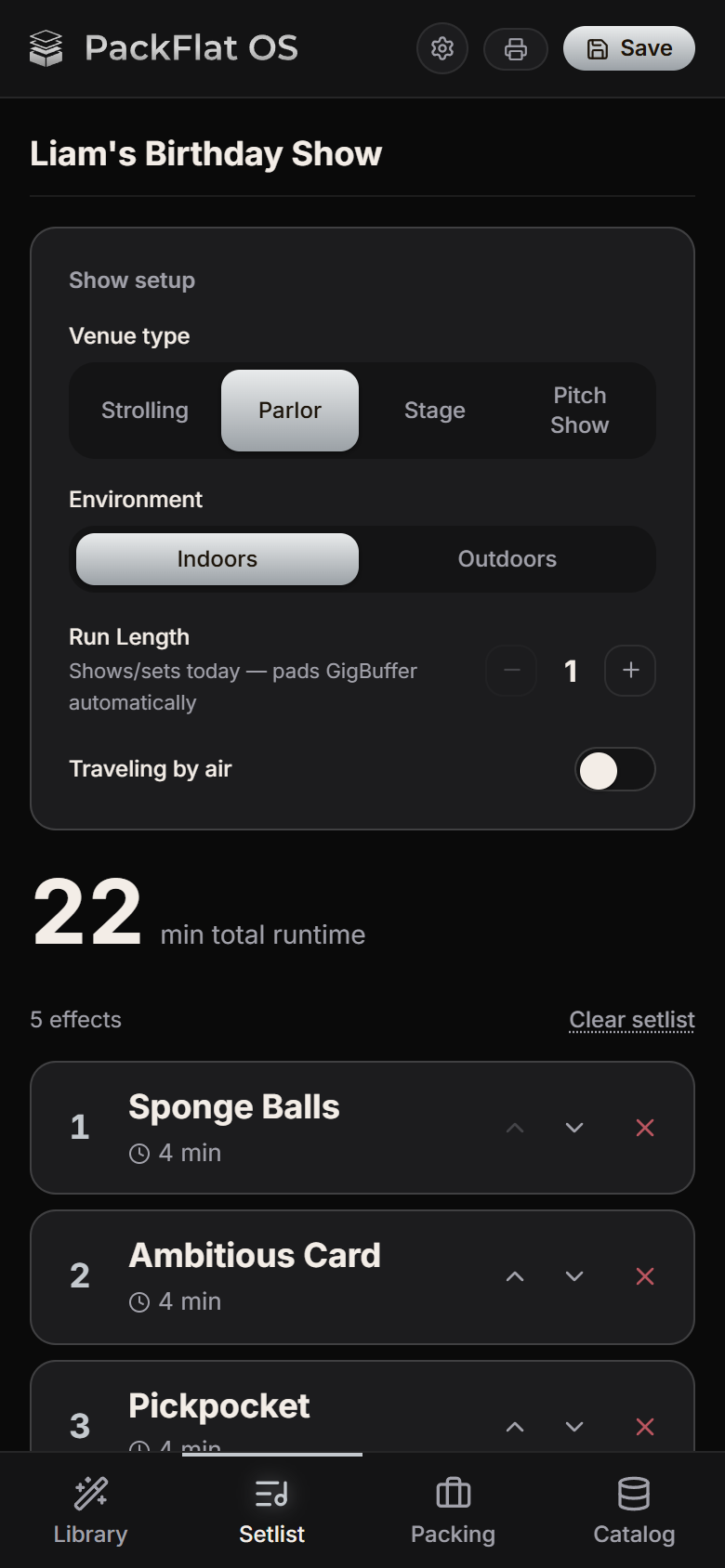
Build your show
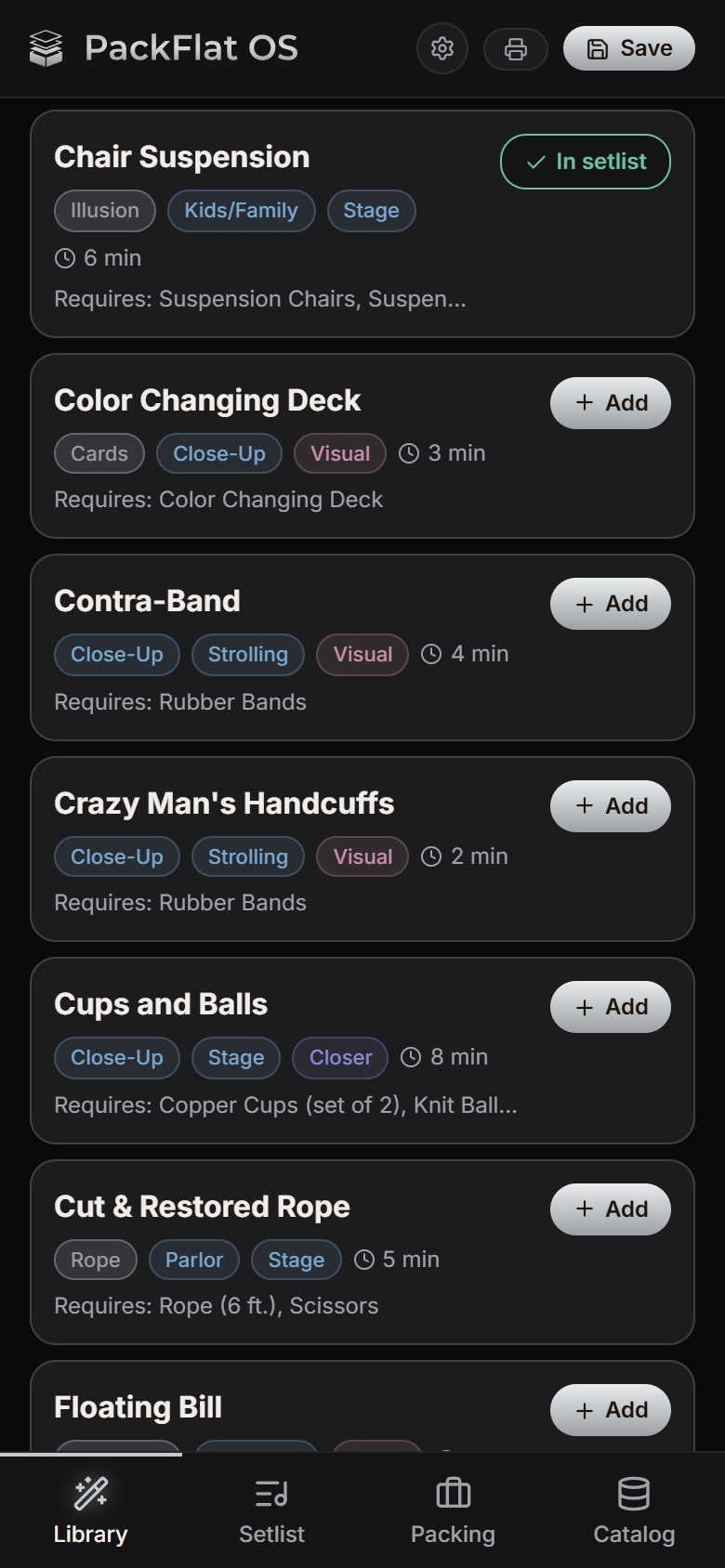
Choose effects from your own repertoire, arrange them for the best flow, and always know how long the show will run.
Private beta
PackFlat OS turns your setlist into a complete packing list and a map of where every prop goes — so the case is one less thing on your mind.
Invitation only while testing continues. Runs on your phone, tablet or computer.
1
Choose effects from your own repertoire, arrange them for the best flow, and always know how long the show will run.
2
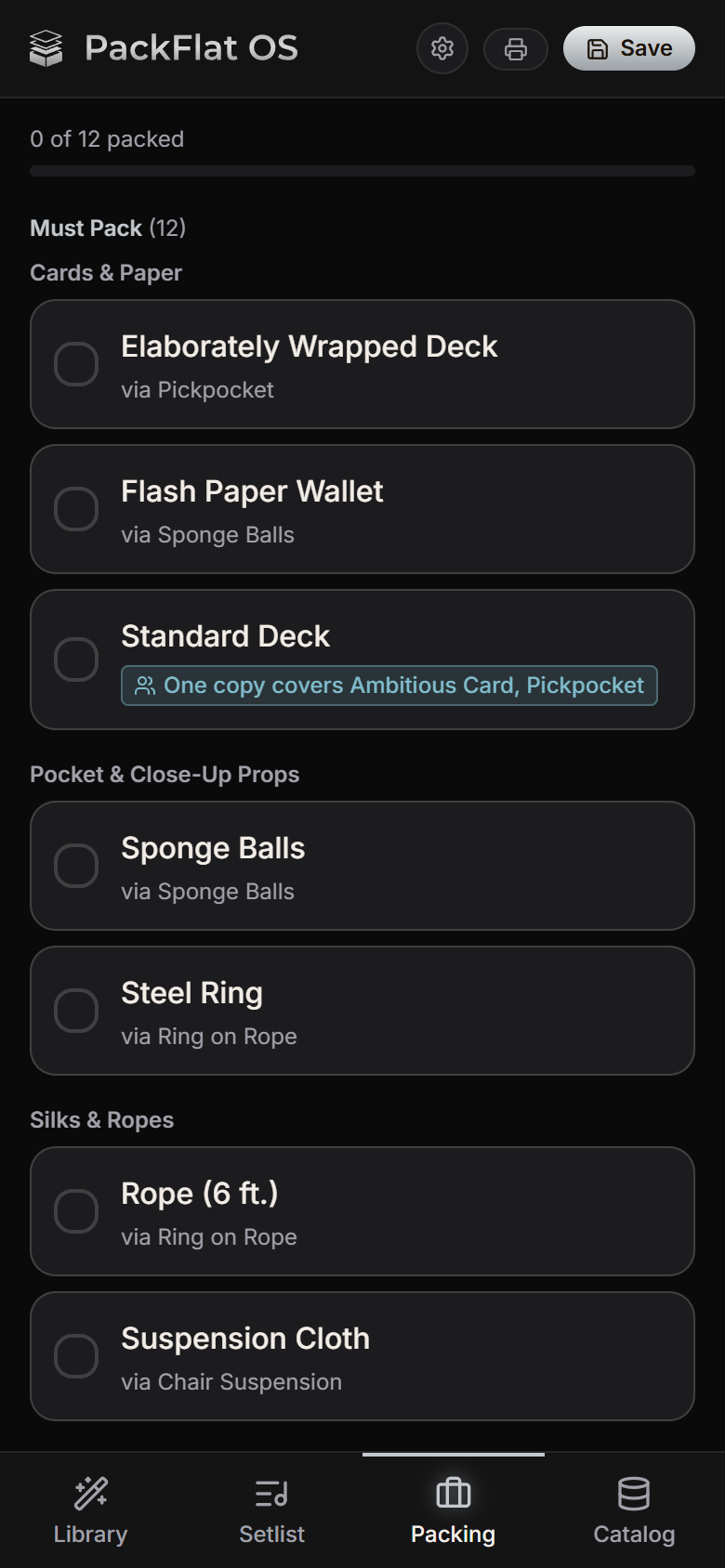
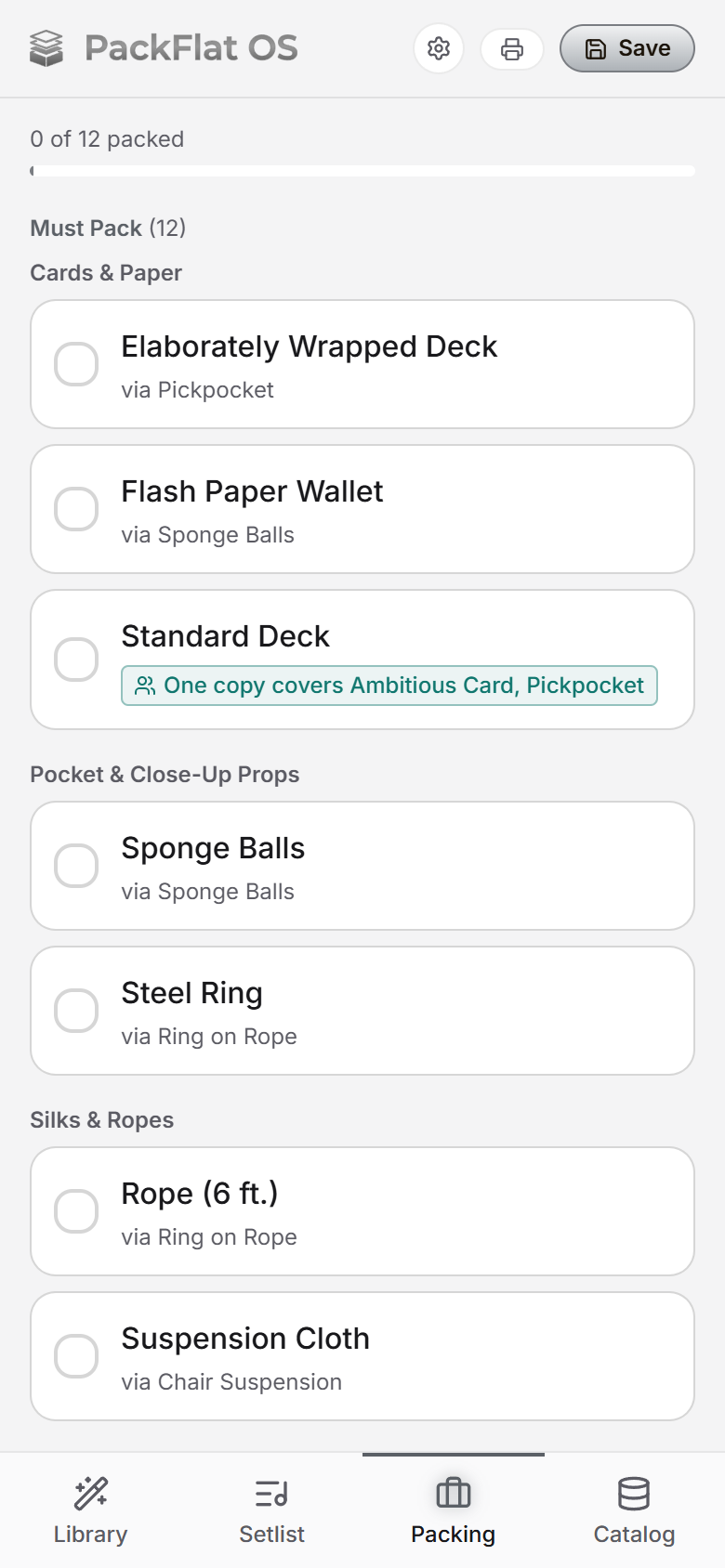
Every prop appears once. A deck shared by two effects is a single line that says which effects it covers. Doing three sets? It packs enough flash paper for all three, plus any spares you like.
3
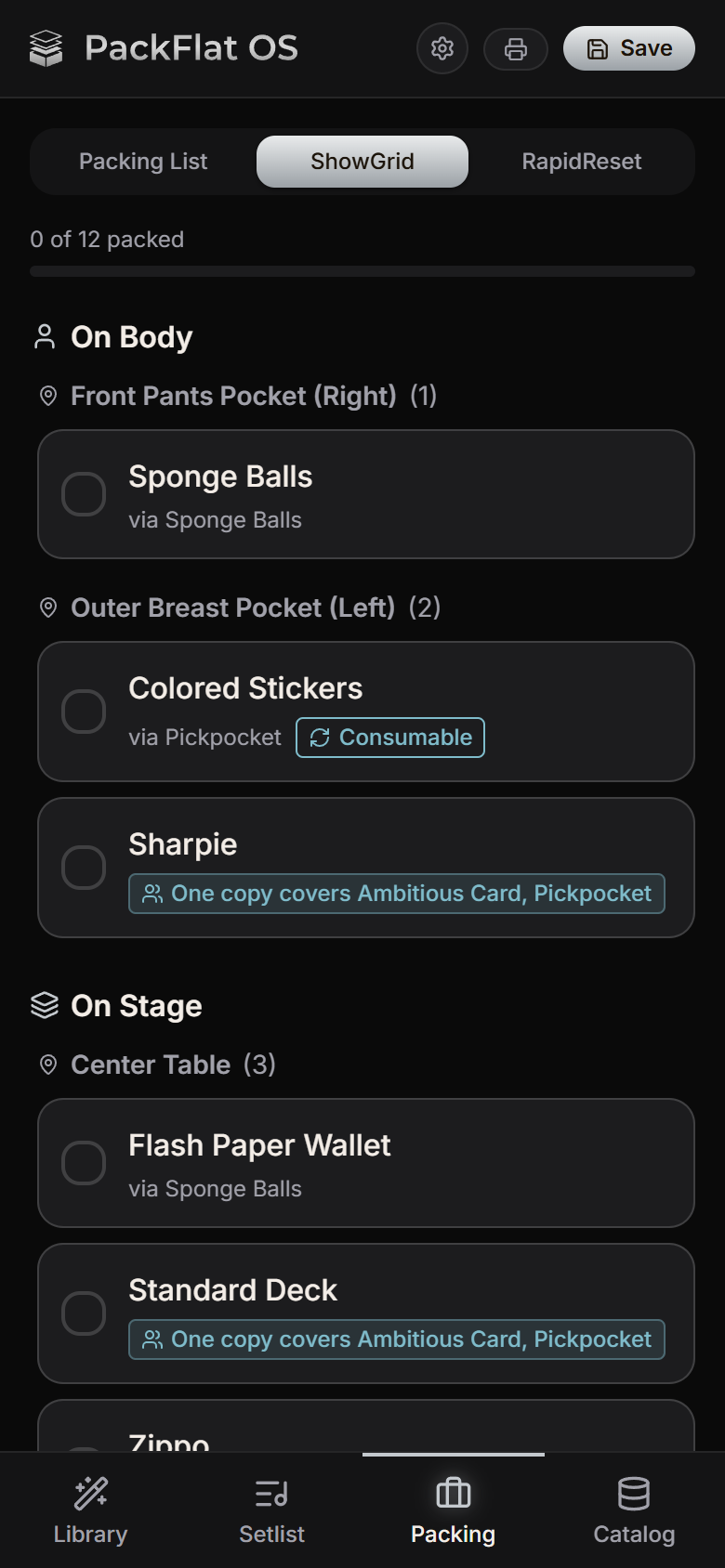
ShowGrid maps every prop to its spot: pants pocket, breast pocket, center table, working case.
Sunlight Mode
Sunlight Mode switches to a high-contrast light theme for bright rooms and outdoor gigs. A text-size setting makes everything easier to read backstage, and every control is built to be tapped quickly.
Kits, variants, backup gear and one-off extras all land on one list, so nothing gets missed.
Gentle heads-ups — an effect that needs a table in a strolling set, or flash paper to sort out before you fly.
RapidReset shows only what needs resetting before the next set. Tick it off and you're ready.
Turn on stock tracking and it counts down your flash paper, Bicycle decks, and giveaways with every show, then warns you before you run out.
Once it has loaded, it opens with no signal — which is how backstage usually is.
Export your whole catalog as a backup file any time, and keep it wherever you like. No account, no ads, no tracking.
Paste your list of effects and the AI drafts the props each one needs. You check the props and runtime one effect at a time before anything is added. Or start with the built-in starter set and add your own as you go.
It's in private beta, by invitation. Send a note and you'll get a reply.
Pricing hasn't been announced. Beta access is by invitation.
Yes. After your first visit it opens offline, and everything you build is stored on your device.
On your device, in your browser's storage. There is no account and no cloud copy yet, so export a backup regularly — the app reminds you. If you draft effects with AI, your methods stay yours: you describe only what the audience sees, and PackFlat's server doesn't keep your list. It passes through to Google's Gemini on a paid plan, whose terms say prompts aren't used to improve Google's products.
Any modern browser on a phone, tablet or computer, and it can be added to your Home Screen. It is designed phone-first.
Yes. Paste your effect list and the AI drafts each effect's props, then you check them one effect at a time before anything is added. Describe what the audience sees, never the method. You can also start from the starter set and add your own.
Tell me what you perform and what phone you use, and I'll reply. Access is by invitation while testing continues.
Email hello@packflatos.com